
Two-factor authentication has become the standard recommendation for securing online banking and financial accounts. Most people have heard the advice, and most financial platforms now either require it or strongly encourage it. But the advice rarely goes further than “enable two-factor authentication,” which leaves a more important question unanswered: which type?
Not all two-factor authentication methods are equally secure. The difference between a well-implemented hardware key and an SMS code sent to your phone is not a minor technical detail — it is the difference between a protection that is genuinely difficult to bypass and one that has well-documented, actively exploited weaknesses.
This guide covers the main 2FA methods used for online banking and financial apps, how they compare on the things that actually matter — security strength, resistance to common attacks, ease of use, and practical availability — and how to connect this to protecting the financial accounts and AI finance tools you use day to day.
What Two-Factor Authentication Is and Why It Matters for Financial Accounts
Two-factor authentication adds a second verification step to the login process. After you enter your password, you are required to provide a second piece of evidence that you are who you say you are. The idea is that even if someone obtains your password — through a data breach, phishing, or guessing — they still cannot access your account without that second factor.
The three categories of authentication factor are something you know (a password or PIN), something you have (a phone, a hardware key, a code generator), and something you are (biometrics: fingerprint, face recognition). Two-factor authentication combines at least two of these. Most 2FA implementations for banking combine something you know with something you have.
The password alone is no longer a sufficient barrier for financial accounts. Passwords get reused, leaked in breaches, phished, and guessed. The second factor is not a belt-and-suspenders redundancy — it is a genuinely different category of protection.
For financial accounts specifically — bank accounts, investment platforms, AI finance apps connected to your banking data, crypto exchanges — the stakes of account compromise are direct and immediate. This makes the quality of 2FA more consequential here than in almost any other online context.
The Main Two-Factor Authentication Methods Compared
Here are the five primary 2FA methods used across banking and financial platforms, assessed on how they actually work, where they are strong, where they fall short, and who they are best suited for.
SMS One-Time Codes
The most common method — and the most compromised
How it works: When you log in, the bank sends a six-digit code to your registered phone number via text message. You enter the code to complete login. The code expires after a short window, typically 30 to 60 seconds.
✓ Strengths: Widely supported across almost every bank and financial platform. Requires no app or device beyond a phone that can receive texts. Easy to understand and use for people unfamiliar with authentication apps.
⚠ Weaknesses: Vulnerable to SIM-swapping attacks, where a criminal convinces your mobile carrier to transfer your phone number to a SIM card they control. Also vulnerable to SS7 protocol attacks that intercept SMS messages at the network level, and to real-time phishing where attackers capture codes as users enter them on fake login pages.
Best for: Situations where no stronger option is available and where SMS is the only offered method. Acceptable as a baseline but should be replaced with a stronger method whenever possible.
Authenticator App (TOTP)
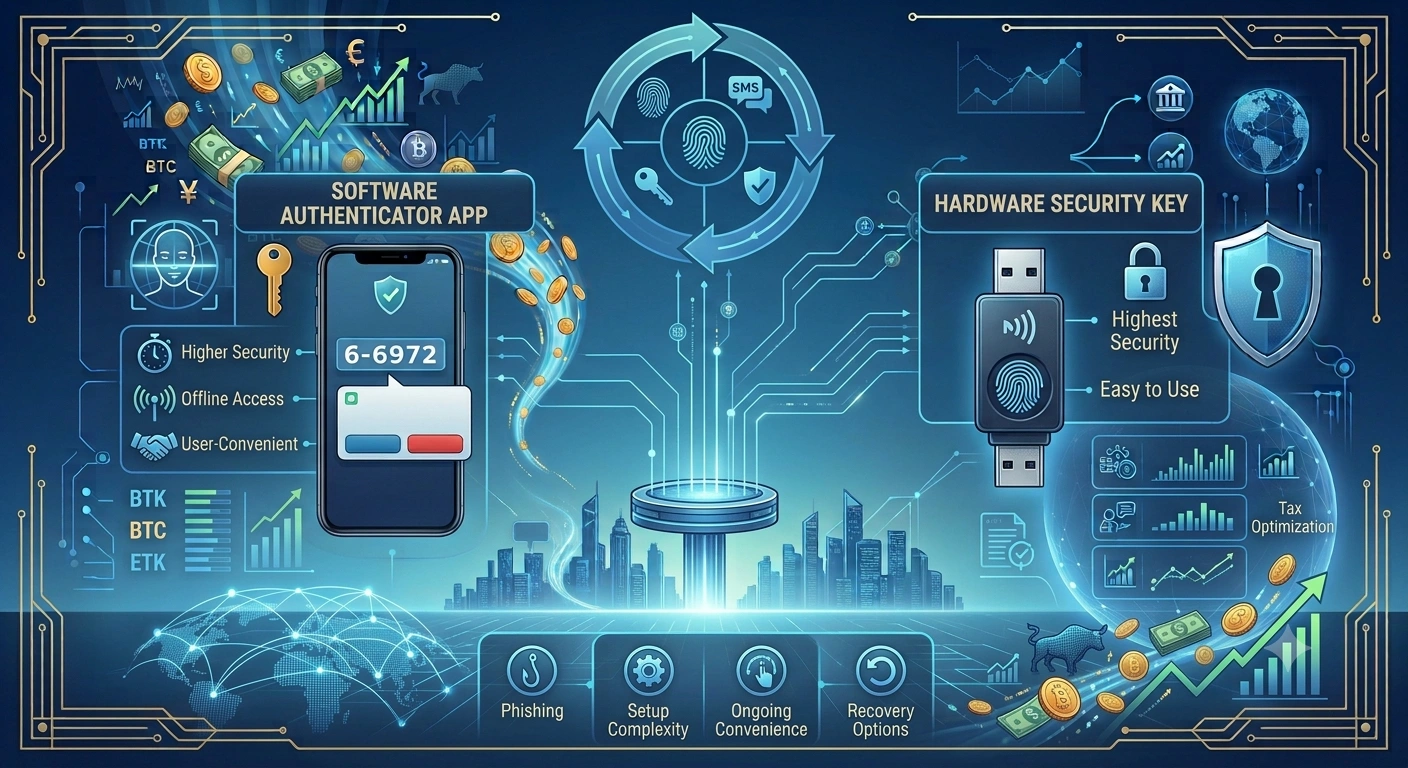
How it works: A Time-based One-Time Password (TOTP) app — such as Google Authenticator, Authy, or Microsoft Authenticator — generates a six-digit code on your device every 30 seconds based on a shared secret established when you set up the account. The code is generated locally on your device and never transmitted over a network until you enter it.
✓ Strengths: Codes are generated on-device rather than sent over a network, removing the SIM-swapping and SMS interception vulnerabilities. Works without a mobile signal or internet connection. Widely supported by banks, financial platforms, and AI finance apps. Codes expire every 30 seconds, limiting the window for misuse if intercepted.
⚠ Weaknesses: Still vulnerable to real-time phishing: an attacker with a convincing fake login page can capture both your password and your TOTP code as you enter them and use them immediately on the real site. Does not verify the identity of the site you are logging into, only proves you have the authenticator. Losing your phone or deleting the app without backup codes can lock you out.
Best for: Most people securing online banking and financial accounts. Represents the practical security baseline that most users should be at minimum using for all financial logins.
Push Notification Authentication
How it works: When you log in from a new device or location, the bank sends a push notification to your registered smartphone via its app. You approve or deny the login attempt with a tap. Some implementations show contextual details about the login attempt: location, device, time.
✓ Strengths: More context than a code: you see a description of the login attempt and can actively deny it. No code to copy and enter. Generally faster than entering a code manually. Some implementations support number matching, which asks you to confirm a number displayed on the login screen appears in the push notification, reducing blind approval.
⚠ Weaknesses: Vulnerable to MFA fatigue attacks (also called push bombing): attackers send repeated approval requests until the user approves one out of fatigue or confusion. This attack has been used successfully against employees at large companies and is increasingly targeting consumer accounts. Requires the authenticator app and mobile internet or data connection to receive notifications.
Best for: Users who are aware of MFA fatigue risks and will actively deny unexpected approval requests. Stronger than SMS but weaker than hardware keys against targeted attacks. Best when number matching or additional context is shown in the notification.
Hardware Security Key (FIDO2 / WebAuthn)
How it works: A physical device — typically a small USB key or NFC device such as a YubiKey or Google Titan Key — that you plug in or tap when prompted during login. The key uses public key cryptography and cryptographically verifies both the user’s identity and the legitimacy of the website. If you are on a phishing site, the key will not authenticate.
✓ Strengths: Phishing-resistant by design: the key binds authentication to the specific domain you are visiting, so a fake site cannot harvest a valid authentication signal. Not vulnerable to SIM-swapping, SMS interception, TOTP phishing, or MFA fatigue. The strongest consumer 2FA method available. Increasingly supported by major banks and financial platforms in the US.
⚠ Weaknesses: Requires purchasing a physical key ($25–$70 typically). Risk of being locked out if the key is lost without a backup. Not yet universally supported by all banks and financial platforms. Requires the physical key to be present at login, which is impractical in some scenarios.
Best for: Anyone who wants the highest available security for financial accounts and is willing to purchase and carry a physical key. Strongly recommended for accounts with significant asset value or for anyone who has been previously targeted by account takeover attempts.
Biometric Authentication
Convenient and effective as a device unlock, less so as a standalone 2FA factor
How it works: Fingerprint or facial recognition used to verify identity, typically implemented as part of a banking app login on a smartphone or laptop. On most devices, biometrics unlock the device itself, which then accesses a stored credential — they are not transmitted to the bank’s servers.
✓ Strengths: Very low friction for the user. Biometric data stays on the device and is not sent over a network in most implementations. Effective as a convenience layer for routine access. When combined with device-based cryptographic credentials (as in modern passkeys), provides strong security.
⚠ Weaknesses: As typically implemented in banking apps, biometrics unlock access to a device-stored credential rather than serving as an independent second factor. If the device is compromised, biometric protection may be bypassed. Less effective as a standalone 2FA method than as part of a passkey or device-bound credential system.
Best for: Routine access to banking apps where you have already established stronger authentication for the account itself. Best understood as a convenience layer that makes strong authentication faster to use, not as a replacement for it.
Side-by-Side: How the Methods Stack Up
| Method | Phishing resistant | SIM-swap resistant | No network needed | Widely supported | Ease of use |
| SMS codes | No | No | No | Yes | High |
| Authenticator app | Partial | Yes | Yes | Yes | Medium |
| Push notification | Partial | Yes | No | Medium | High |
| Hardware key | Yes | Yes | Yes | Growing | Medium |
| Biometrics (device) | Yes* | Yes | Yes | Yes | Very high |
* Biometric protection depends on the underlying credential it unlocks. Device-bound passkeys with biometrics are phishing-resistant. Biometrics that simply unlock a device storing a reusable password are not.
The Attacks That Make This Matter
Understanding which 2FA method to use is clearer when you understand the specific attacks each one does and does not defend against.
SIM-swapping
A criminal contacts your mobile carrier posing as you, claims to have lost their SIM card, and convinces the carrier to transfer your phone number to a new SIM they control. Once successful, they receive any SMS or voice codes sent to your number. This attack has been used to compromise high-value cryptocurrency accounts and banking accounts. It requires social engineering of the carrier rather than any technical capability, and it has succeeded against major US carriers repeatedly.
Defended against by: authenticator apps, hardware keys, biometrics (device-bound). Not defended against by: SMS codes.
Real-time phishing
An attacker creates a convincing copy of a bank login page and sends you a link to it via email, SMS, or social media. When you enter your credentials and 2FA code, the attacker captures them and immediately uses them on the real bank site while your session is still valid. This attack defeats SMS codes and TOTP codes if executed quickly enough.
Defended against by: hardware security keys (which verify the domain and will not authenticate on a fake site). Partially mitigated by: push notifications with number matching. Not defended against by: SMS codes or standard TOTP apps.
MFA fatigue / push bombing
An attacker who already has your password sends repeated push notification approval requests to your phone, often at inconvenient times, hoping you will eventually approve one to make them stop. This has been used successfully against corporate targets and is increasingly used against consumer accounts. It requires no technical exploitation of the 2FA method itself — only persistence and your momentary inattention.
Defended against by: hardware keys, biometrics (device-bound), push notifications with number matching where you must confirm a specific number shown on the login screen. Not defended against by: simple push notifications without number matching.
Data breaches at service providers
If a bank or financial platform suffers a data breach that exposes authentication data, the impact depends on what was stored. Passwords stored without proper hashing are directly usable. TOTP secrets stored insecurely could theoretically allow code generation. Hardware keys use public key cryptography where the private key never leaves the device, meaning a breach of the server’s authentication data does not compromise the key.
What This Means for AI Finance Apps and Connected Accounts
If you use an AI finance platform that connects to your bank accounts, investment accounts, or crypto exchanges — the kind of tool described throughout the WealthNX blog series — the security of those underlying accounts matters as much as the security of the AI finance app itself.
A read-only connection through a service like Plaid means the AI finance app cannot move money from your bank account. But if your bank account itself is compromised because its 2FA protection was bypassed, the damage happens at the source — not through the AI app, but directly through your bank.
The practical implication is layered: secure the AI finance app itself with the strongest 2FA it supports, and independently secure each underlying connected account with the strongest 2FA that account offers.
For bank accounts
If your bank offers hardware key support, use it. If not, use an authenticator app rather than SMS. SMS 2FA on a bank account is meaningfully weaker than authenticator app 2FA, and the gap matters for an account that holds money that can be transferred.
For crypto exchanges
Crypto exchanges are among the most targeted accounts for 2FA attacks because successful compromise can result in immediate, irreversible asset loss. Most major exchanges support authenticator apps and many support hardware keys. SMS 2FA on a crypto exchange should be considered the minimum acceptable baseline, not the target. An authenticator app or hardware key is the appropriate protection for any account holding significant crypto value.
For AI finance apps themselves
A connected AI finance platform like WealthNX should be secured with the strongest 2FA method it supports. Since these platforms aggregate your financial data across multiple connected accounts, a compromised AI finance account would expose your connected financial picture even though it cannot move funds. Enable MFA immediately on setup, use an authenticator app as a minimum, and enable a hardware key if the platform supports it.
Practical Guidance: What to Use and When
| Account type | Recommended 2FA | Minimum acceptable | Avoid if possible |
| Primary bank account | Hardware key or authenticator app | Authenticator app (TOTP) | SMS only |
| Investment / brokerage account | Hardware key or authenticator app | Authenticator app (TOTP) | SMS only |
| Crypto exchange | Hardware key | Authenticator app (TOTP) | SMS only |
| AI finance / tracking app | Hardware key or authenticator app | Authenticator app (TOTP) | SMS only |
| Email account tied to banking | Hardware key | Authenticator app (TOTP) | SMS only |
| Retirement account portal | Hardware key or authenticator app | Authenticator app (TOTP) | SMS only |
Your email account is the master key to most of your financial accounts. A password reset email goes to your inbox. If your email is compromised, most of your financial accounts are one password reset away from being compromised too. Secure your email at least as strongly as your bank.
Setting Up Stronger 2FA: A Practical Starting Point
If you are currently using SMS codes for your bank or financial accounts and want to move to a stronger method, here is the practical sequence.
Step 1: Download an authenticator app
Google Authenticator, Authy, and Microsoft Authenticator are the most widely used. Authy has the advantage of encrypted cloud backup for your TOTP secrets, which helps if you lose your phone. Download the app before attempting to switch your 2FA method.
Step 2: Save your backup codes before changing anything
Every platform that offers 2FA also provides backup codes — one-time codes you can use to access your account if your primary 2FA method is unavailable. Before you change your 2FA method, generate and save these backup codes in a secure location: a password manager, a printed copy stored safely, or an encrypted notes app. Losing access to your 2FA method without backup codes means losing access to your account.
Step 3: Switch one account at a time
Do not attempt to migrate all your accounts at once. Start with your most important financial account, follow the platform’s process for switching 2FA methods, verify that the new method works before removing the old one, and then move to the next account. A methodical approach prevents accidentally locking yourself out.
Step 4: Consider a hardware key for highest-value accounts
For accounts holding significant assets — primary bank accounts, investment accounts, crypto exchanges with meaningful holdings — a hardware security key is worth the investment. A key typically costs between $25 and $70, supports dozens of accounts, and provides the strongest consumer 2FA protection currently available. Look for keys that support FIDO2 and WebAuthn, which are the current standards for phishing-resistant authentication.
Step 5: Audit your connected accounts periodically
Every six months or so, review which accounts have which 2FA methods enabled. Financial accounts you connected to an AI finance app, email accounts, and any platform that holds personal or financial data should all be on the list. Platforms occasionally add support for stronger 2FA methods, so an account that only offered SMS a year ago may now support an authenticator app or hardware key.
The Honest Summary
The best two-factor authentication method for online banking security is a hardware security key, because it is the only widely available consumer method that is genuinely phishing-resistant and immune to SIM-swapping. For most people, an authenticator app is the practical target: meaningfully stronger than SMS, widely supported, and achievable without purchasing additional hardware.
SMS two-factor authentication is better than no second factor, but it has documented and actively exploited weaknesses that make it a poor choice for accounts that hold money or financial data. If your bank or financial platform offers a stronger option, use it. If SMS is the only option offered, it is worth noting that limitation when evaluating the platform’s overall security posture.
For anyone using AI finance tools connected to bank, investment, or crypto accounts—the kind of integrated financial assistant described across the WealthNX blog series — the security of the underlying connected accounts is as important as the security of the AI platform itself. A read-only connection protects the AI app from being a vector for financial loss. It does not protect the underlying accounts from being compromised through their own login process.
Enable the strongest 2FA available on every financial account you hold. Start with your bank. Then your email. Then every financial platform connected to your financial life.
Frequently Asked Questions
What is the most secure two-factor authentication method for online banking?
Hardware security keys using FIDO2 or WebAuthn standards are the most secure consumer 2FA method for online banking. They are phishing-resistant by design, immune to SIM-swapping attacks, and do not rely on network transmission of codes. For most people who cannot or do not want to use a hardware key, an authenticator app generating TOTP codes is a strong and practical alternative.
Is SMS two-factor authentication safe for banking?
SMS 2FA is better than no second factor, but it has known weaknesses that make it the weakest of the mainstream 2FA options. SIM-swapping attacks, SS7 network interception, and real-time phishing can all bypass SMS codes. For bank accounts and financial platforms, switching to an authenticator app is a meaningful security improvement that costs nothing and takes about five minutes.
What is a SIM-swapping attack and how does it affect 2FA?
A SIM-swapping attack involves a criminal convincing your mobile carrier to transfer your phone number to a SIM card they control. Once successful, they receive any SMS verification codes sent to your number, including bank login codes. The attack exploits social engineering of carrier support staff rather than any technical vulnerability. It defeats SMS 2FA entirely but does not affect authenticator apps, hardware keys, or biometrics tied to a specific device.
What is MFA fatigue and should I be worried about it?
MFA fatigue, also called push bombing, is an attack where a criminal who already has your password sends repeated push notification approval requests to your phone, hoping you will approve one by mistake or out of frustration. It has been used successfully in both corporate and consumer contexts. The defence is to never approve a push notification you did not initiate, and to use push authentication methods that include number matching — where you must confirm a specific number shown on the login screen appears in the notification before approving.
Do I need a hardware key for every account?
Not necessarily. Hardware keys are most valuable for your highest-risk accounts: your primary bank account, investment accounts, crypto exchanges, and your primary email. For lower-stakes accounts, an authenticator app provides strong protection without the cost or inconvenience of a physical key. The practical approach is to use a hardware key for your most important financial accounts and an authenticator app for the rest.
How does 2FA relate to the security of AI finance apps?
An AI finance app connected to your bank accounts uses read-only access, meaning it cannot move your money even if the app itself were compromised. However, the security of your underlying bank and financial accounts — protected by their own login and 2FA methods — is independent of the AI app’s security. Securing both the AI finance app itself with strong 2FA and each connected financial account with the strongest 2FA available provides layered protection for your overall financial security.
Disclaimer
This article is for general informational and educational purposes only. It describes two-factor authentication methods and their general security properties based on publicly available information as of July 2026. Security landscapes evolve, and specific vulnerabilities or protections may change over time.
This article does not constitute cybersecurity advice, legal advice, or a specific recommendation for any product or service. The security of any financial account depends on many factors beyond 2FA method alone, including platform security practices, user behaviour, and broader threat environment. For guidance specific to your security situation, consult a qualified cybersecurity professional.
Product names mentioned (YubiKey, Google Titan Key, Google Authenticator, Authy, Microsoft Authenticator) are referenced for illustrative purposes only and do not constitute endorsement. Verify current product capabilities and support directly with each provider.