

Quick Answer
Tracking net worth on your smartphone involves connecting your financial accounts to a dedicated net worth app, including bank accounts, brokerage accounts, cryptocurrency holdings, and outstanding debts. The app pulls available balance data from supported connected accounts and combines assets minus liabilities into a single net worth figure you can check from your phone at any time. The key is connecting everything relevant, including what you owe, not just what you own.
The phone in your pocket already has more information about your finances than many people realise. Your banking app, your brokerage, your crypto exchange, your credit card issuer, all of them have digital records of your current balances. What is often missing is a single place where those numbers come together to give a consolidated view of where you stand across your financial accounts and assets.
According to a report published by MX Technologies in July 2025, based on a survey of more than 1,000 US adults, around 14 percent of consumers say they do not track their finances at all, and nearly 1 in 4, specifically 24 percent, use a spreadsheet or other manual process to do it. Given how much financial activity now happens on smartphones, the gap between where the data lives and how people access it is increasingly a friction problem rather than a data problem.
This guide walks through how to set up net worth tracking on your smartphone properly, what to connect, what to watch for, and how to get a number you can actually trust.
Why Your Smartphone Is the Right Place for This
A net worth calculation done in a spreadsheet is accurate as of the day you built it. A net worth figure tracked through a smartphone app connected to your accounts reflects available data from those connections on a much more current basis, without requiring you to log in to each institution separately and update numbers by hand.
The phone is also where most financial activity already happens. Banking, payments, checking balances, crypto trades, these are smartphone-first activities in 2026. Having your net worth tracker on the same device keeps the financial picture in the same place as the financial behaviour, which makes it easier to check regularly rather than treating it as a separate task that requires opening a laptop.
A net worth figure that lives on your phone and updates from connected accounts can make it easier to check regularly than one that requires opening a spreadsheet. Visibility that is accessible with less friction may get used more consistently.
What You Need to Connect
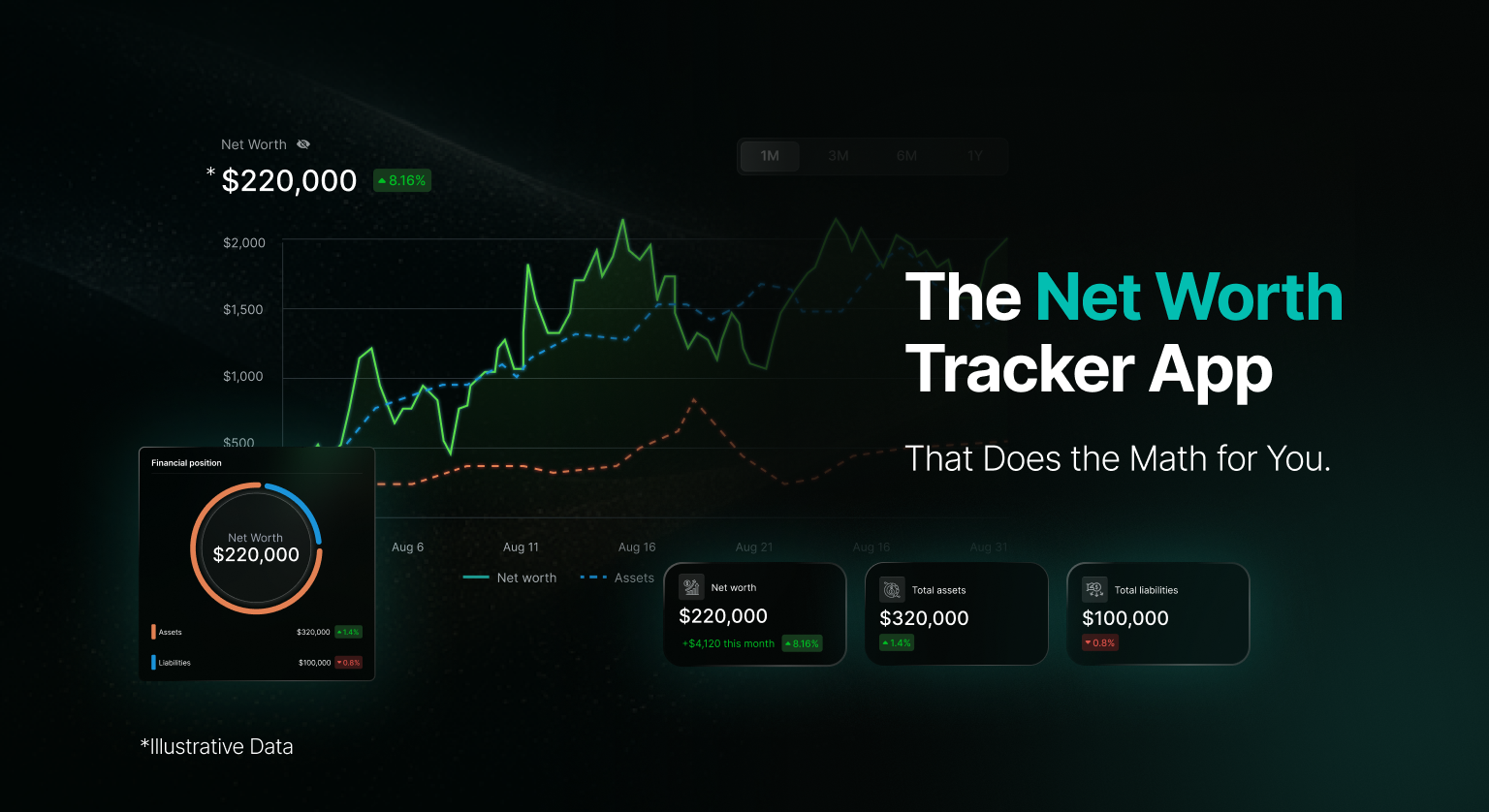
A net worth calculation is assets minus liabilities. Both sides of that equation need to be in the app for the number to be accurate. The most common gap is that people connect savings and investment accounts but leave out debts, which makes the figure look better than it actually is.
Assets to connect
• Checking and savings accounts from your bank
• Brokerage accounts holding stocks, funds, or ETFs
• Retirement accounts such as a 401k or IRA, if they have a digital connection
• Cryptocurrency holdings, through read-only API keys on supported exchanges, and public wallet addresses for on-chain holdings
• Property equity, if the app supports manual entry for estimated home value
Liabilities to connect or enter
• Credit card balances
• Mortgage balance, if not auto-connected
• Car loans and personal loans
• Student debt
• Any other outstanding obligations
Where a direct connection to a supported institution is not available, many apps allow you to enter figures manually. This means a pension account without a digital API, property equity, or a loan from a smaller lender can still be included in the net worth calculation, even if the figure requires occasional manual updating.
How to Set It Up: Step by Step
Choose an app designed for net worth tracking
Not every finance app includes both assets and liabilities in a net worth view. Before downloading, confirm the app supports the account types you hold. If you have cryptocurrency, confirm it handles exchange API connections and wallet address tracking, since most general budgeting apps do not. WealthNX is designed to cover bank accounts, brokerage accounts, and cryptocurrency alongside liabilities in one connected view.
Connect your bank and brokerage accounts
Many net worth apps connect to bank accounts through a secure intermediary service. This uses read-only access, meaning the app can see your balances and available transaction data but cannot move money or take any action on your accounts. When prompted, you are routed through the intermediary service rather than typing credentials directly into the app. Confirm this before connecting.
Add your cryptocurrency holdings
For exchange-held crypto, generate a read-only API key in your exchange account settings and enter it in the app. A read-only key has no trading or withdrawal permissions, only view access to your balances. For self-custody wallets, you can typically add your public wallet address so the app can display your on-chain holdings. Never share your private key or seed phrase with any app. Cryptocurrency values are highly volatile and will fluctuate in the connected view.
Enter any accounts that cannot be connected directly
Property equity, certain pension accounts, and loans at smaller institutions may not have a direct digital connection available. Most apps allow you to enter these manually. Add an estimated current value for any property you own, your outstanding mortgage balance, and any debt accounts that did not connect automatically. Where manual entry is available, updating these figures occasionally keeps the net worth calculation closer to your actual position.
Connect your debt accounts
Credit cards with a digital connection can often be linked directly so balances update from available data. For loans and mortgages, check whether the lender is supported by the app. If not, enter the current balance manually. The net worth figure is only as complete as what you enter on the liabilities side.
Review the net worth figure and check what is missing
Once connected, look at the figure the app produces and ask whether it accounts for everything significant you own and owe. A net worth that feels unexpectedly high is often missing some debts. One that feels unexpectedly low may be missing a retirement account or property equity. Add any gaps through manual entry where supported.
What Good Smartphone Net Worth Tracking Looks Like
| Feature | Why it matters on mobile |
| Read-only account connections | For read-only tracking, confirm that the connection does not permit the app to move money. Verify this in the app’s security documentation before connecting any account. |
| Assets and liabilities in one view | A net worth figure that only shows assets is not a net worth figure. Both sides are required. |
| Cryptocurrency support | Exchange API connections with read-only permissions and wallet address tracking for on-chain balances. |
| Manual entry for unconnected accounts | Property equity, certain pensions, and smaller lenders may not connect directly. Manual entry fills the gap. |
| Trend view over time | A single number on one day is less informative than seeing whether the number is moving up or down over months. |
| Plain language observations | An AI assistant that can answer direct questions about available connected account data in plain English adds practical value beyond the number itself. |
| Privacy policy that does not sell your data | Your net worth figure represents your entire financial life. Confirm the app clearly states it does not sell financial data to third parties. |
| Independent security certification | ISO 27001 indicates an independently assessed information security management system within the certification’s scope. Verify the certification scope with the provider. |
Security: What to Check Before You Connect Anything
Connecting financial accounts to a smartphone app involves sharing access to sensitive data. The steps below are worth taking before linking any account.
- Confirm the app uses read-only connections. The app should be able to see your balances and available transaction data but should have no ability to initiate transfers, trades, or payments.
- Check the privacy policy for a clear statement that your financial data is not sold to third parties. Vague language about sharing with partners is a reason to look more carefully before connecting.
- Enable two-factor authentication on the net worth app itself, and on every financial account you plan to connect.
- For cryptocurrency exchange connections, generate a new API key with view-only permissions specifically for the app. Do not reuse an existing key that has trading or withdrawal rights.
- For wallet balances, share your public address only. Never enter a private key or seed phrase into any app.
- Look for an independently assessed security certification such as ISO 27001, which indicates an information security management system within the certification’s scope has been independently assessed. Verify the scope with the provider directly.
How WealthNX Approaches This on Mobile
WealthNX can connect to supported bank and brokerage accounts through read only connections and retrieves available transaction data from supported connected accounts. Cryptocurrency holdings can be tracked through read-only API keys for supported exchanges and public wallet address monitoring for on-chain balances. Where direct connections are not available, financial information can also be added manually where the feature is supported.
An AI assistant surfaces informational observations about your connected financial picture based on available data from your connected accounts, and can answer plain-language questions about net worth trends, spending patterns, and account balances. All observations provided by WealthNX are informational only and should not be interpreted as financial advice. Responses may be affected by incomplete, delayed, or unavailable data from connected accounts.
WealthNX holds ISO 27001 certification, the internationally recognized standard for information security management, and does not sell your financial data to third parties. WealthNX is the publisher of this article and references its own services where relevant.
The goal of tracking net worth on your smartphone is not to check a number for reassurance. It is to see how your financial position is changing over time, and to have an accurate enough view to make informed decisions about it.
Common Mistakes When Setting Up Smartphone Net Worth Tracking
Connecting assets but not debts
A net worth figure that includes your savings and brokerage accounts but ignores your mortgage, car loan, and credit card balances is not showing a complete net worth calculation. It is showing gross assets. Check that the app supports liability accounts and that you have connected or manually entered every significant debt.
Leaving out accounts because they feel too small
An old savings account with a small balance, a credit card rarely used, a loan nearly paid off, these are all part of the actual net worth calculation. Leaving them out does not make the figure easier to use. It makes it inaccurate.
Not updating manually entered figures
Property equity and pension accounts that cannot connect directly need to be updated by hand occasionally. A property value entered two years ago and never revisited is likely to be out of date. Setting a reminder to review manually entered figures a few times a year keeps the overall figure closer to reality.
Treating the figure as more precise than the data supports
The net worth figure the app displays reflects available data from supported connected accounts and any manually entered figures. Not every connection updates with the same frequency, and some account types may not connect directly. The figure is a useful informational view of your financial position, not a precise accounting balance. Use it as a directional tool rather than an exact figure.
Summary
Tracking net worth on your smartphone is one of the more practical financial habits available in 2026, because the data needed to calculate it is already digital and the phone is already where most financial activity happens. The setup requires connecting everything relevant, including what you owe, not just what you own, and confirming that the app uses read-only access and handles your data responsibly.
Once it is set up, the value is in the trend rather than any single figure. Tracking net worth over time can help show how your overall financial position is changing. Changes in net worth should be considered alongside the underlying accounts, liabilities, and other relevant financial circumstances.
Frequently Asked Questions
Can I track my net worth on my phone for free?
Some net worth tracking apps offer a free tier with basic account connection features. WealthNX offers a free tier for initial evaluation. Empower offers a free personal dashboard that includes net worth tracking, confirmed on its official website and in The College Investor’s April 2026 review. Most apps with full AI features and multi-account connectivity across a wide range of institutions require a paid plan. Check whether the free tier of any app you are evaluating lets you connect your real accounts and see an actual net worth figure before committing.
Is it safe to connect my bank account to a net worth app on my phone?
It can be, provided the app uses read-only connections through a secure intermediary service, which means the app can see your balances and available transaction data but cannot move money. Before connecting any account, confirm this directly in the app’s security documentation. Enable two-factor authentication on both the app and your connected accounts, and review the privacy policy for a clear statement that your financial data is not sold.
How do I include crypto in my net worth on my smartphone?
Look for an app that supports cryptocurrency tracking through read-only API keys for supported exchanges and public wallet address monitoring for on-chain holdings. When setting up the exchange connection, generate a view-only API key with no trading or withdrawal permissions. For wallet balances, add your public address only. Cryptocurrency values are highly volatile and will fluctuate in the connected net worth view.
How often should I check my net worth on my phone?
The frequency that is useful depends on your situation and what you are trying to understand. Checking periodically, whether monthly or at whatever interval feels relevant, tends to give a better sense of the trend than very frequent checking, particularly for anyone holding volatile assets like cryptocurrency where short-term swings can obscure the longer-term direction.
Sources
• MX Technologies, “Why Consumers Want More from Financial Providers,” consumer survey of more than 1,000 US adults conducted Q4 2024, published July 2025. Available at mx.com/research/financial-apps-fall-short.
• The College Investor, Empower Review 2026, April 2026. thecollegeinvestor.com.
• Empower, official net worth dashboard and tools documentation, empower.com, accessed August 2026.
• Western & Southern Financial Group, net worth tracking survey, reported via InvestmentNews, 2026.
Disclaimer
This article is for general informational and educational purposes only and does not constitute financial advice. Statistics cited are drawn from publicly available third party surveys as noted in the Sources section. WealthNX is the publisher of this article and references its own services where relevant. WealthNX holds ISO 27001 certification, the internationally recognized standard for information security management.
All AI generated observations provided by WealthNX are informational only and are not personalised financial advice. Responses are generated from available data from connected accounts and may be affected by incomplete, delayed, or unavailable data from connected accounts. Cryptocurrencies are highly volatile. For advice tailored to your situation, consult a licensed financial advisor.