
Plan Your Monthly Spending With a Budget App
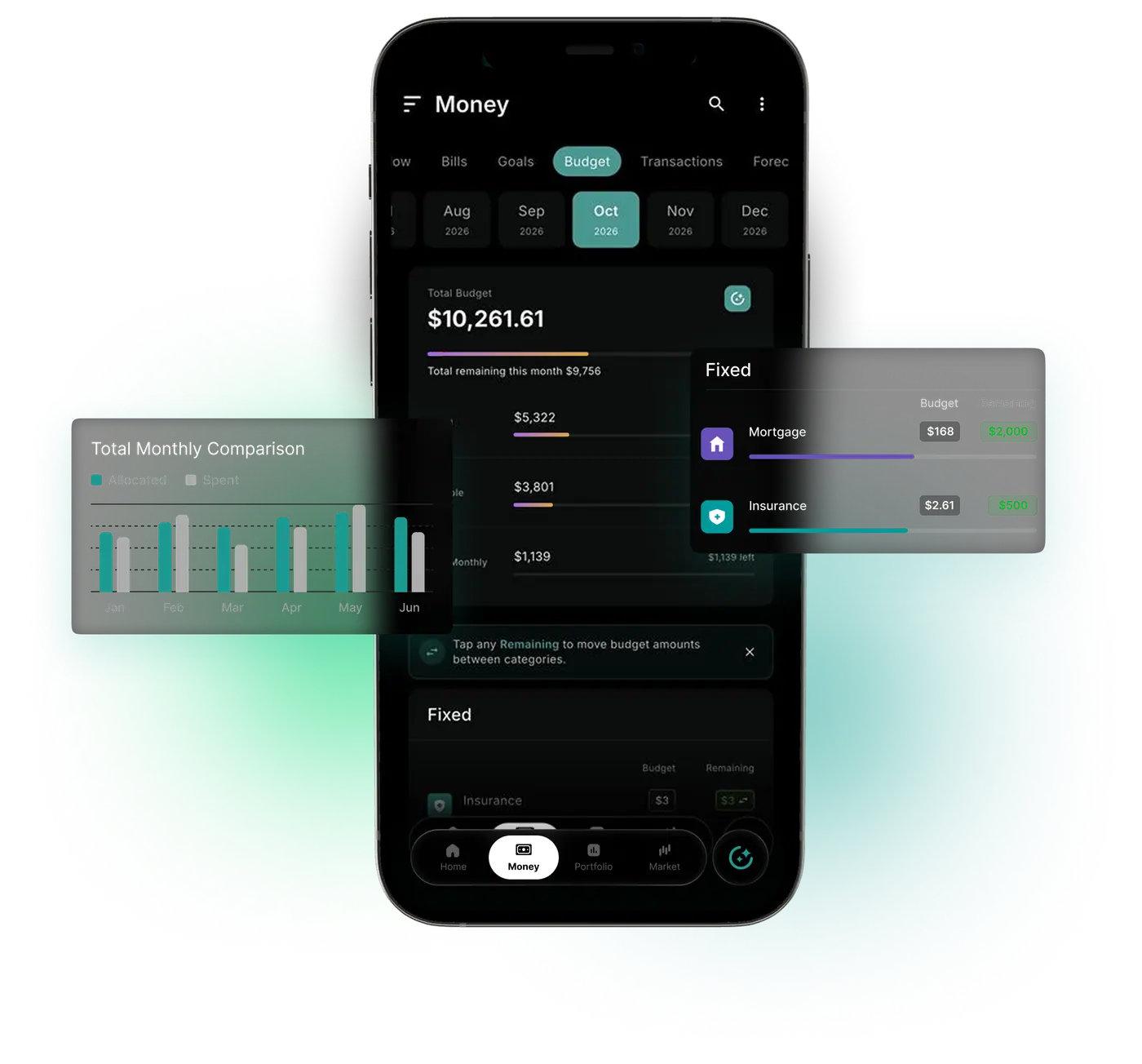
An automatic budgeting app that links to bank and card accounts through Plaid. Purchases count against your category limits as they arrive.
Market data sources




A Budget Is Easy to Set and Hard to Keep Up
WealthNX is an AI budgeting app built for budgets that last past the first few weeks. WealthNX helps set up the budget, then tracks spending against the categories and limits you choose as new transactions come in.
What the WealthNX Budget View Shows
Start with your own numbers
Budgets use the categories and amounts you choose.
See what's already spent
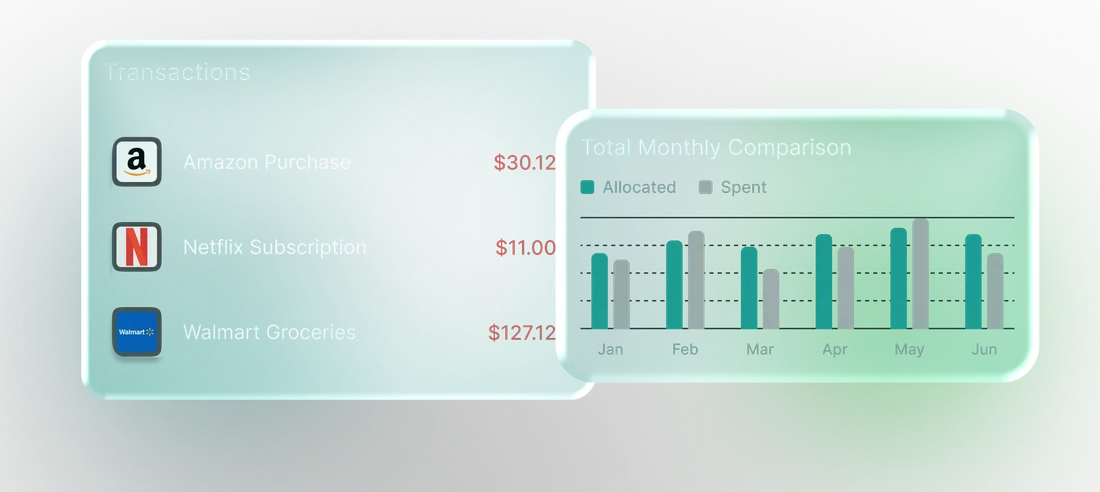
Category spending shows against the amount you planned.
Know what's left
Each category shows how much room remains before the period ends.
Go straight to the details
The transactions behind a category total open when something looks different.
Follow the month as it unfolds
The current view shows progress during the month, before any month-end surprise.
Your plan, still your call
WealthNX helps you understand spending; it does not block purchases or control your accounts.
Why Budgets Get Dropped and How WealthNX Keeps Yours Going
A budget app that categorizes spending automatically removes the chore that makes people quit.
Without a smart budgeting app
- Setting up a budget from scratch means guessing every amount
- Weeks of unsorted purchases turn a catch-up into a chore
- Life changes and the old budget stops fitting
With WealthNX
- A first budget can be set up with Wealth Genie
- Purchases are sorted and counted against your limits as they arrive
- Limits can change any time, and tracking carries on
Who Is the WealthNX Budget For?
Three kinds of households get the most from this budget app.
Households watching their spending
Upcoming bills on the bill tracker help when setting next month's limits.
Couples
Budgets can be shared with household members. More on the budget app for couples page.
People leaving another budget app
Imported transaction history gives the new budget real numbers to start from.
Questions About Your Budget? Ask Wealth Genie
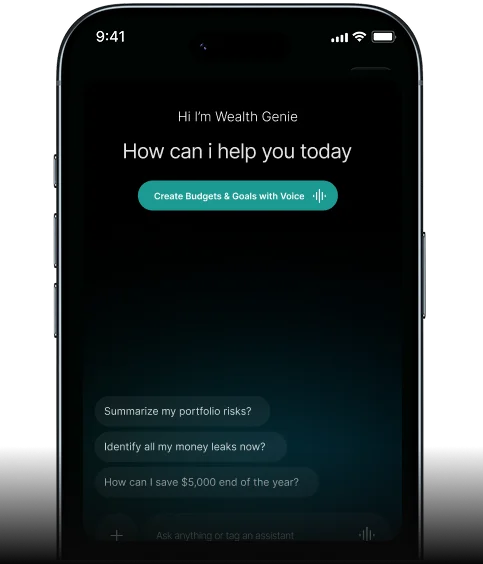
WealthNX is a budgeting app with AI built in. Wealth Genie answers budget questions in plain words, using your own categories and spending.
- Which category am I closest to going over this month?
- Why is my dining budget higher than last month?
- How much is left in my grocery budget?
- Can you set up a monthly budget for me?
Questions About WealthNX Budgets
What makes WealthNX a capable ai budgeting app for personal finance?
WealthNX works as an ai budgeting app by helping you understand your spending and create budgets based on your financial activity. It organizes transactions from your connected accounts into spending categories, allowing you to see where your money goes and identify patterns over time. You can then set your own budget targets, track spending against them and make adjustments as your needs change. With AI-powered insights available to help you explore your financial activity, WealthNX makes budgeting more informed and easier to manage.
Can WealthNX work as a smart budgeting app that adapts to my actual spending patterns?
Yes. WealthNX works as a smart budgeting app by helping you understand your spending habits using transaction data from your connected accounts. You can review historical spending, compare expenses across different periods and see how your spending aligns with your budget. WealthNX also provides AI-powered insights that can help you explore patterns in your financial activity. You remain in control of your budget targets and can adjust them as your financial needs change.
Can I use the monthly budget tracker in WealthNX to manage spending by category?
Yes. WealthNX allows you to set monthly budget targets for spending categories such as groceries, transport, entertainment, utilities and shopping. Once you've set a budget, you can track your spending against it and see how much of your allocated amount you've used throughout the month. The monthly budget tracker helps you identify which categories are within your budget and which are approaching or exceeding their limits. You can also review previous spending to help decide on suitable budget amounts.
Does WealthNX support automatic budgeting for users who prefer less manual setup?
WealthNX makes budgeting easier by automatically categorizing available transactions from your connected accounts, reducing the need to organize every expense manually. While automatic budgeting can simplify how you track spending, you remain in control of setting your budget amounts and choosing which categories to monitor. You can review your historical spending to help decide on suitable targets and adjust your budgets as your needs change.
Can WealthNX help me follow a zero based budgeting app approach?
WealthNX can support a zero-based budgeting approach by allowing you to set budgets for different spending categories and track your expenses against them. With zero-based budgeting, you plan how to allocate your expected income across expenses, savings and other financial priorities. WealthNX helps you review your spending and monitor your category budgets throughout the month, so you can make adjustments when needed. While the app provides budgeting tools, you remain responsible for deciding how to allocate your money.
How can I tell when I'm approaching my budget limit in WealthNX?
WealthNX helps you monitor your budget limits by showing your spending progress within each category. In the Budgets view, you can see how much of your allocated budget you have used and how much remains for the month. This makes budget tracking easier and helps you identify categories that are approaching or exceeding their limits. You can review your spending and adjust your budget when needed.
A Budget That Keeps Up With Your Month
Less manual tracking, more visibility into your monthly budget.
