Cash Flow: Know What Comes In and What Goes Out
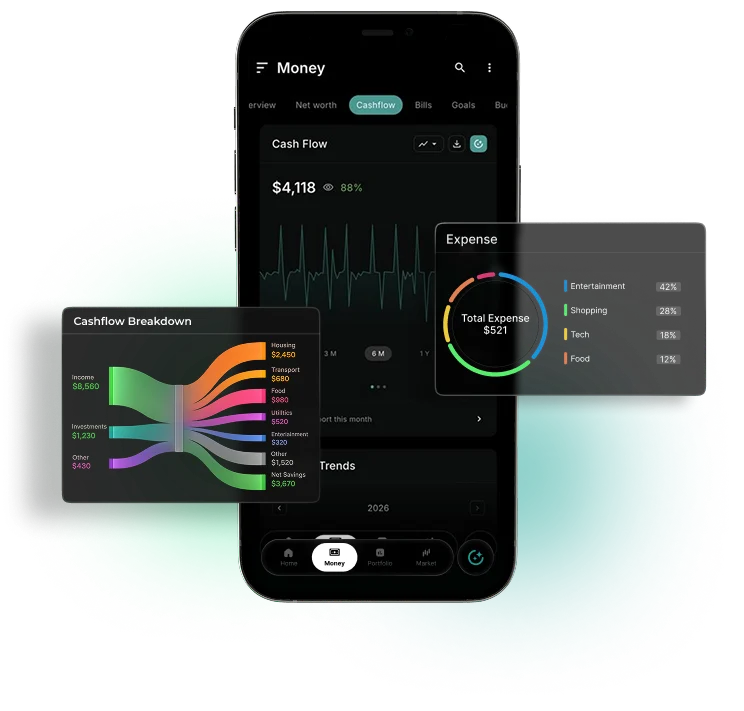
An income vs expenses tracker built on the bank and card accounts you link through Plaid, from 12,000+ institutions with read-only access.
Market data sources




Understand What Comes In and Where It Goes
WealthNX is a personal cash flow tracker that shows what you earned, what you spent and what is left, month by month. It covers the accounts you link, plus transactions you add yourself. One screen shows whether recorded income was higher than spending for the period you pick.
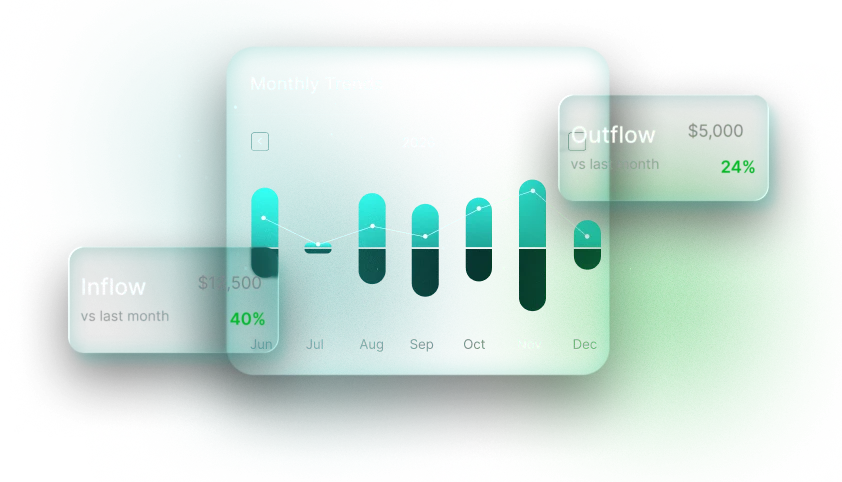
What You See in the WealthNX Income and Expense Tracker App
Income for the period
See income reflected in your available financial information for the selected period.
Spending by category
Explore spending categories for the selected period.
See the difference
Follow net cash flow instead of looking at income and expenses in isolation.
Spending Heatmap: spot the busy days
See when spending activity is concentrated across the available dates.
Period Comparison: what changed?
Compare supported cash-flow figures across clearly labelled periods. The comparison reflects the accounts, categories and data available for each period.
From total to transaction
Explore the underlying activity when a number catches your eye.
Why You Need a Personal Cash Flow Tracker App
A bank statement shows account activity. WealthNX puts available income and spending side by side, so the monthly result is clear.
Without a cash flow tracker
- You find out how the month went when your balance looks low
- Cash and payments outside your linked accounts never show up
- There is no past month to compare this one with
- A long list of card charges says little about where the money went
With WealthNX
- Totals update as new transactions arrive from linked accounts
- Add manual transactions or import statements so they count
- Import transaction history so earlier months show up too
- Transactions are sorted into categories automatically; details on the expense tracker page
Want to look ahead instead of back? Financial forecasting estimates future balances from available financial information, based on stated assumptions.
Who Is the WealthNX Cash Flow Tracker For?
A monthly cash flow tracker helps in a different way depending on your situation.
Households watching their spending
Period Comparison lets you compare spending month over month and see which months went over, along with the categories behind them.
Couples and families
When both partners’ accounts are linked, household income and spending show in one cash flow. Budgeting for couples covers shared plans.
People with more than one income source
Paychecks and side income from different linked accounts add up to one income figure for the month.
Business owners
Accounts assigned to a business can be filtered out, so household cash flow shows personal money only.
Investors
See your monthly income, spending and remaining cash flow alongside your broader financial information.
Ask Wealth Genie About Your Cash Flow
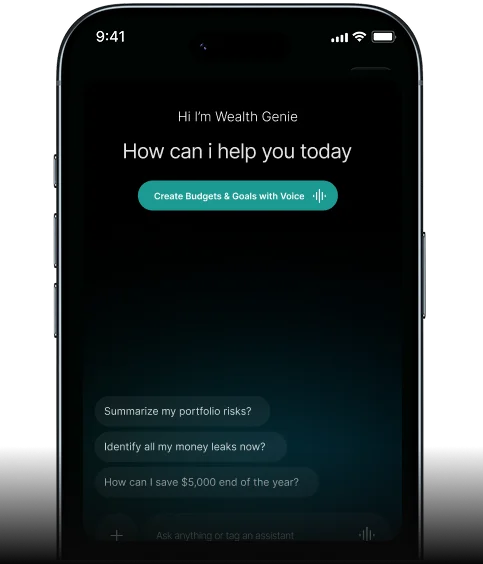
Wealth Genie answers questions about your income, spending and cash flow in plain words. It works from your linked and manual accounts. Type a question or ask it out loud.
- Did I spend more than I earned last month?
- Which category grew the most compared with September?
- What was my average monthly income this year?
- Which days of the week do I spend the most?
Questions About Tracking Your Cash Flow
What does the personal cash flow tracker app in WealthNX actually measure?
The personal cash flow tracker app in WealthNX helps you understand where your money is going. It shows how much money has come in, how much you've spent and the difference between the two over a selected period. With the income vs expenses tracker, you can see your overall cash flow, while cash flow tracking helps you understand your spending patterns using available transaction data from your connected accounts.
How does WealthNX work as an income and expense tracker app?
WealthNX works as an income and expense tracker app by using available transaction data from your connected bank and card accounts. It shows the money coming in and going out, with spending organized into categories to help you understand where your money goes. By comparing your recorded inflows and expenses, WealthNX gives you a clear view of your monthly cash flow, making it easier to understand your financial activity.
Can WealthNX help me understand where my money goes each month?
With WealthNX, you can see where your money goes each month, from groceries and bills to shopping, entertainment and subscriptions. As a monthly spending tracker app, it helps you keep an eye on recurring payments, see which categories you spend the most on and compare your spending from month to month. This gives you a better understanding of your spending habits and makes cash flow management simpler.
What makes WealthNX a useful cash flow management app compared to budgeting tools?
While budgeting helps you plan how much to spend, WealthNX works as a cash flow management app that shows what's actually happening with your money. By looking at your income vs expenses, you can see your spending breakdown and understand where your money goes each month. This gives you a clearer starting point when setting budgets based on your actual spending habits.
Does the cash flow planner app feature in WealthNX show trends over time?
Yes. WealthNX provides a cash flow trend view that lets you see how your income and spending have changed over time. By looking at several months of cash flow data, you can spot changes in your spending habits, identify unusually high expenses and see whether your income has increased or decreased. As a cash flow planner app, WealthNX helps you understand your financial patterns beyond just one month's activity.
How does WealthNX categorize transactions for cash flow tracking?
WealthNX automatically organizes spending transactions from your connected accounts into categories such as groceries, utilities, transport, shopping and entertainment. These categories appear in your personal cash flow tracker, making it easier to see where your money goes without sorting through every transaction yourself. If a transaction is placed in the wrong category, you can correct it. This makes WealthNX a useful income and expense tracker app for keeping track of everyday spending.
Can WealthNX track cash flow across multiple bank accounts?
Yes. WealthNX lets you track cash flow across multiple bank accounts by bringing available transaction information from your connected bank and credit card accounts into one place. Whether you receive money in one account and spend from another, you can see your recorded inflows and outflows together in a single cash flow summary. This makes it easier to understand your overall cash flow without checking each account separately.
Does the income vs expenses tracker in WealthNX work for irregular income?
Yes. The income vs expenses tracker in WealthNX is useful for freelancers, self-employed individuals and anyone whose income changes from month to month. Rather than relying on a fixed salary, it shows the money coming into your connected accounts alongside your expenses. You can compare months when you've received more or less money and see how your spending compares, giving you a clearer picture of your cash flow even when your earnings aren't consistent.
Can I use WealthNX to plan for large upcoming expenses?
Yes. WealthNX can help with expense planning by showing you how much money typically comes in and goes out each month. You can use your cash flow tracker to understand your usual spending and review your cash flow data from previous months before planning a large purchase or upcoming payment. This gives you a clearer idea of your finances without having to rely on guesswork.
How accurate is the cash flow data shown in WealthNX?
The accuracy of cash flow data in WealthNX depends on the information available from your connected financial accounts. Your cash flow view shows recorded money coming in and going out, but some transactions may be missing or delayed if an account isn't connected or hasn't updated recently. For a clearer picture of your monthly cash flow, it's best to connect the accounts you regularly use for receiving and spending money.
See Where This Month's Money Went
The WealthNX monthly cash flow app shows this month's money in and money out once your first account is linked.
